Protect smarter. Learn deeper. Operate with confidence.
ZaxSecurity brings professional defense software, practical cyber training, secure payments, and measurable career progress into one trusted platform.
See security capability become measurable.
A clear, connected view of learning consistency, practical accuracy, and defensive readiness over time.
Everything you need to build a stronger digital defense.
A carefully connected ecosystem for buying trusted tools, mastering practical skills, and managing your cybersecurity journey.
Professional security software
Purpose-built tools for scanning, monitoring, investigation, and hardening—delivered directly into your secure library.
Hands-on cyber academy
Structured paths combine concise instruction with realistic exercises, guided projects, assessments, and verifiable certificates.
Measurable readiness
Track skill growth, lab accuracy, consistency, certificates, and the learning momentum that moves careers forward.
Secure wallet purchases
Fund your ZaxSecurity wallet through verified bank or crypto deposits, then purchase every software product and course directly from your available balance.
One clear command surface from first lesson to professional operation.
ZaxSecurity replaces scattered downloads, course bookmarks, payment receipts, and progress sheets with a single accountable workspace.
- Protected digital libraryOwned software and courses remain attached to your account.
- Practical learning pathsMove through guided lessons, defensive projects, assessments, and certificates.
- Transparent paymentsFollow every wallet purchase and manual deposit from submission to completion.
Start with tools trusted by defenders
A professional environment for ambitious defenders.
The clean learning path and practical projects make complex security concepts feel immediately usable.
I can keep tools, purchases, progress, and certificates organized without jumping between unrelated systems.
ZaxSecurity feels focused, credible, and designed for people who take cyber readiness seriously.
ZaxSecurity frequently asked questions
Understand purchases, wallet funding, training, certificates, installation, support, and responsible use before you begin.
01What is ZaxSecurity?
ZaxSecurity is an integrated platform for professional cybersecurity software, practical training, guided projects, wallet-protected purchases, progress tracking, and eligible certificates.
02How do I purchase software or a course?
Create an account, fund the matching NGN or USDT wallet, wait for administrator approval, then purchase directly from that separate balance.
03Can I pay for a product directly by bank or USDT?
No. Bank transfer funds only the NGN wallet and verified USDT transfer funds only the USDT wallet. Product checkout debits the balance matching the displayed price currency.
04How are wallet top-ups approved?
Submit the amount, selected gateway, payment reference, and receipt. An administrator verifies the request and either approves the wallet credit or declines it with an email update.
05Which bank accounts can I use?
Use either the UBA or MoniPoint account shown in the top-up window and add the required remark. Do not send payment from OPay while the service warning is active.
06Where do my purchased products appear?
Approved software and training access appears in My Library. Delivery links, course progress, purchase records, and wallet activity remain connected to your member account.
07When can I receive a ZaxSecurity certificate?
Certificate eligibility requires a purchased software product, a purchased course or training, and completion of the required training progress. Preview certificates are not valid awards.
08Can I install ZaxSecurity on my phone?
Yes. On supported Android browsers use the install prompt. On iPhone or iPad, open the Share menu in Safari and choose Add to Home Screen for an app-like experience.
09How can I contact support or join a live session?
Email support@zaxsecurity.cloud, send a private Telegram message to @zaxcommercegroupupdates, or open ZaxSecurity Live from the platform to join the TikTok community Q&A.
10Is ZaxSecurity training for authorized use only?
Yes. Products, projects, tutorials, and techniques are intended only for lawful, ethical, defensive, and explicitly authorized security work. Review the platform policies before use.
Build the skills. Own the tools. Defend what matters.
Enter a cybersecurity workspace designed to turn focused effort into practical capability.
Stay sharp, Guest.
Your tools, training, and cyber readiness are in one protected command surface.
Become the analyst threats never see coming.
Continue your SOC Analyst path with a hands-on investigation into suspicious network traffic.
Excellent posture
Your network and device details
Review the network, browser, and privacy-safe device context for this dashboard session.
Readiness velocity
Focused learning minutes and lab accuracy over the last seven days.
Skill distribution
Your strongest domains and next growth opportunity.
Continue where you left off
Recent signals
Advance your edge
Meet your ZaxSecurity AI Support Assistant.
Get fast, platform-aware guidance for wallets, purchases, proxies, RDP, VPS hosting, learning, Community, and account support—with a clear handover to the human team whenever your request needs account review.
 Secure account required
Sign in for private AI support.
Your assistant conversation belongs only to your ZaxSecurity account. Sign in to start a private session and request human support when needed.
Build your cyber advantage.
Discover administrator-reviewed security software and practical courses from ZaxSecurity and approved VIP Cyber Creators. Every purchase uses the matching wallet and unlocks inside your secure library.
Vendor store
Browse this vendor’s administrator-reviewed cybersecurity products and training.
Find the right tool or course
Search by product, skill, creator, or level, then filter by wallet currency.
Try another keyword, category, or wallet currency.
From discovery to secure access
Review the details
Check the product type, level, duration, creator, price, and delivery before confirming.
Pay with matching wallet
NGN products use NGN balance and USDT products use USDT balance—never an external checkout.
Open from your library
Completed purchases unlock on your account and remain available through My Library.
Private residential access, ready for secure work.
Purchase a dedicated static residential IP in Naira and receive private credentials for both HTTPS and SOCKS5 connection formats.
Carrier availability depends on the provider’s live country inventory. A specific carrier is confirmed only when it is returned with the delivered proxy record.
Dedicated to one memberEach purchased static residential proxy is assigned for your use only and is not shared with another ZaxSecurity member.
Sign in to purchase and manage ISP proxies
Your orders, credentials, wallet payments, and renewals remain attached to your private ZaxSecurity account.
Your private Windows workspace, beautifully simple.
Choose a plan, personalise your Windows setup and check out securely with your ZaxSecurity wallet. Your server details stay in one private control centre.
Sign in to purchase Windows RDP
Your server orders, IP addresses and passwords are available only inside your authenticated account.
Purchase and manage your business domains.
Search and register a domain independently, then connect it to your ZaxSecurity VPS when ready. Every purchase uses your protected NGN wallet.
Sign in to open Domain Center
Your domains and purchase details remain private to your account.
Professional email for your business domain.
Purchase email separately from VPS Hosting, create branded mailboxes, and manage every service from your protected ZaxSecurity account.
Sign in to manage business email
Your email plans, mailbox addresses, and order details remain private to your account.
Launch a secure VPS in minutes.
Choose a monthly server plan, location and operating system, then purchase with your NGN wallet. Your private IP, root credentials, renewal and power controls stay together in one protected hosting console.
Sign in to purchase VPS hosting
Your server orders, IP addresses and protected root credentials are available only inside your account.
My library
Launch owned software, continue learning paths, and keep AI Studio results ready to view or download.
Your secure library is ready
Free enrollments, completed purchases, and finished AI Studio results will appear here.
A complete beginner path with practical outcomes
Follow the courses in order, answer each knowledge check in your own words, then complete the projects using only accounts, devices, and systems you own or are explicitly authorized to protect.
Read the core idea and connect it to an everyday security decision.
Answer the knowledge check before revealing the guided explanation.
Build a safe project with clear steps, evidence, and a success standard.
Record what changed, what you verified, and what you would improve next.
Six detailed foundation courses
About 9 hours of guided reading, reflection, and beginner-friendly checks.
01
Course 1 · 90 minutesCybersecurity FoundationsLearn the language of cybersecurity, understand why assets need protection, and make simple risk-based decisions.
Ready to learn
By the end, you should be able to:
- Explain confidentiality, integrity, and availability using everyday examples.
- Distinguish an asset, threat, vulnerability, control, and risk.
- Choose a preventive, detective, or corrective control for a basic scenario.
Security vocabulary
An asset is something valuable, such as an account, laptop, customer record, or service. A threat is a possible cause of harm. A vulnerability is a weakness a threat could exploit. Risk combines the likelihood of that event with its possible impact. A control reduces likelihood, impact, or both.
The CIA triad
Confidentiality limits information to authorized people; encryption and access control support it. Integrity keeps information accurate and complete; hashes, approvals, and change logs help. Availability keeps systems usable; backups, redundancy, monitoring, and recovery plans reduce downtime.
Risk in plain language
Start with the asset and its owner. Describe a realistic event, the weakness that makes it possible, existing protections, likelihood, and impact. Record one treatment: reduce, avoid, transfer, or accept the risk. Review important risks when technology or business activity changes.
Layers of control
Administrative controls include policy and training. Technical controls include MFA, firewalls, and logging. Physical controls include locks and secure storage. Strong security uses multiple layers so one failed control does not expose the entire asset.
Knowledge checkA laptop containing customer records is lost. Which security goals and controls matter most?Think first, then reveal the guided answer.
Confidentiality is the immediate concern, supported by full-disk encryption, strong sign-in controls, remote device management, least privilege, and a tested incident-reporting process. Availability also matters if the laptop held the only copy, so approved backups are essential.
A strong answer explains the reason for the control, not only its name.
02
Course 2 · 85 minutesIdentity and Access BasicsProtect accounts with strong authentication, least privilege, safe recovery, and a controlled user lifecycle.
Ready to learn
By the end, you should be able to:
- Separate identification, authentication, authorization, and accountability.
- Build a strong password-manager and MFA routine.
- Review access using least privilege and role-based permissions.
From identity to permission
Identification states who a user claims to be. Authentication verifies that claim. Authorization decides what the verified identity can do. Accountability records important actions so activity can be reviewed. A secure system treats these as separate decisions.
Passwords and passphrases
Use a unique password for every service and store it in a reputable password manager. Prefer long generated passwords or memorable passphrases. Never reuse an email password, share credentials in chat, or approve an unexpected sign-in prompt.
Multi-factor authentication
MFA combines different factor types: something you know, have, or are. Authenticator apps, passkeys, or hardware keys are generally stronger than SMS. Save recovery codes offline and verify every prompt before approval to resist MFA fatigue attacks.
Least privilege and account lifecycle
Give users only the access needed for current duties. Use roles instead of one-off permissions, separate administrator accounts from daily work, review access periodically, and promptly disable accounts when someone leaves or a device is lost.
Knowledge checkA staff member needs administrator rights for one approved software installation. What is the safer approach?Think first, then reveal the guided answer.
Use a controlled temporary elevation or an administrator-assisted installation, record the change, and remove elevated access immediately afterwards. Permanent administrator access would violate least privilege.
A strong answer explains the reason for the control, not only its name.
03
Course 3 · 110 minutesNetwork Security BasicsUnderstand how devices communicate and where DNS, ports, firewalls, encryption, segmentation, and logs protect traffic.
Ready to learn
By the end, you should be able to:
- Describe the purpose of IP addresses, gateways, DNS, DHCP, and NAT.
- Recognize common services and explain why unnecessary ports increase exposure.
- Create a simple segmented network diagram and safe firewall policy.
How devices find each other
An IP address identifies a network interface. A subnet groups nearby addresses, and the default gateway routes traffic to other networks. DHCP assigns configuration automatically. NAT translates private addresses at the network edge; it is not a replacement for a firewall.
Names, services, and ports
DNS translates names into addresses. TCP emphasizes reliable delivery while UDP favors low overhead. Ports identify services, such as HTTPS on 443. Treat port numbers as clues, not proof, and close or restrict services that the organization does not need.
Encryption and trusted connections
TLS protects supported traffic in transit and helps authenticate the service. Check the complete domain name, certificate warnings, and application context. A padlock means the connection is encrypted; it does not guarantee the website itself is honest.
Segmentation, firewalls, and visibility
Separate guest, user, server, management, and smart-device networks where practical. Start firewall rules from a deny-by-default position, allow documented business traffic, log important decisions, and review rules so old exceptions do not become permanent risk.
Knowledge checkWhy should guest Wi-Fi and smart devices be separated from work devices?Think first, then reveal the guided answer.
Segmentation limits which systems can communicate. If an untrusted guest or weak smart device is compromised, network boundaries reduce lateral movement toward workstations, servers, and administrative interfaces.
A strong answer explains the reason for the control, not only its name.
04
Course 4 · 105 minutesEndpoint, Malware, and Data ProtectionBuild a defensible device baseline, recognize common malware behavior, and protect important data throughout its lifecycle.
Ready to learn
By the end, you should be able to:
- Apply a basic endpoint hardening and update routine.
- Recognize malware categories and respond safely to warning signs.
- Classify, encrypt, back up, and dispose of data appropriately.
A secure device baseline
Use supported operating systems, automatic security updates, screen lock, device encryption, anti-malware protection, and a standard user account for daily work. Remove unused software, restrict macros, and obtain applications only from trusted sources.
Understanding malware
Malware includes ransomware, spyware, trojans, worms, and unwanted cryptominers. Warning signs may include unexpected processes, disabled security tools, unusual network activity, changed files, or repeated crashes. These signs require investigation; they are not automatic proof.
Safe first response
Stop sensitive activity, disconnect the affected device from networks when policy allows, preserve the screen and time of the event, and contact the responsible support or security team. Do not delete evidence, pay a ransom, or run random cleaning tools without authorization.
Data lifecycle and backups
Classify data by sensitivity, collect only what is needed, restrict access, encrypt sensitive copies, define retention, and use approved disposal. Follow the 3-2-1 backup idea: three copies, two media types, and one copy separated from the primary environment. Test restoration regularly.
Knowledge checkWhat makes a backup useful against ransomware?Think first, then reveal the guided answer.
The backup must be current, protected from alteration by the compromised account, separated from the primary system, monitored, and successfully restoration-tested. A backup that cannot be restored is not a recovery plan.
A strong answer explains the reason for the control, not only its name.
05
Course 5 · 95 minutesWeb, Email, and Human SecurityUse the web and email safely, identify manipulation, validate requests, and report suspicious activity without spreading risk.
Ready to learn
By the end, you should be able to:
- Inspect domains, links, attachments, and browser warnings safely.
- Recognize urgency, authority, fear, curiosity, and reward as manipulation signals.
- Verify sensitive requests through an independent channel.
Reading a web address
Read the registered domain from right to left before the first slash, watch for misspellings and misleading subdomains, and avoid bypassing certificate warnings. Open important services from a trusted bookmark instead of an unexpected message link.
How phishing creates pressure
Phishing often combines a believable story with urgency, authority, secrecy, or reward. The message may request credentials, payment, a file, or an MFA approval. Slow down when the request changes normal process or discourages independent verification.
Attachments and document safety
Treat unexpected archives, executables, scripts, and macro-enabled documents as high risk. Confirm the sender through a known channel, use approved scanning controls, and do not upload confidential files to public analysis services without permission.
Verify and report
Contact the requester using a known phone number or a new message—not the suspicious reply path. Preserve the original message, record what you clicked or entered, report promptly, and change exposed credentials from a trusted device if instructed.
Knowledge checkA familiar supplier emails new bank details and asks for urgent payment. What should happen next?Think first, then reveal the guided answer.
Pause the payment and verify the change with an established contact using a trusted phone number or existing portal. Follow the organization’s approval process and report the suspicious message for review.
A strong answer explains the reason for the control, not only its name.
06
Course 6 · 100 minutesIncident Response for BeginnersRespond calmly using preparation, detection, containment, eradication, recovery, communication, and lessons learned.
Ready to learn
By the end, you should be able to:
- Separate an event, alert, and confirmed incident.
- Record a useful incident timeline without changing evidence.
- Choose safe containment and recovery actions through an approved process.
Prepare before pressure
Define contacts, severity levels, decision authority, secure communication channels, evidence locations, legal or privacy escalation, and recovery priorities before an incident. Run short exercises so people know their role.
Triage and document
Record who reported the issue, exact times and time zone, affected accounts or devices, observed facts, business impact, and actions already taken. Separate facts from assumptions and preserve original alerts, messages, screenshots, and relevant logs.
Contain, eradicate, and recover
Containment limits harm, such as isolating a device or disabling a compromised account. Eradication removes the root cause. Recovery restores trusted service, monitors for recurrence, and verifies security before normal operations resume. Each action should have an owner and approval.
Communicate and improve
Share accurate updates with the people who need them and avoid speculation. After recovery, document the root cause, control failures, successful actions, missed signals, and assigned improvements. Track those improvements until they are complete.
Knowledge checkWhy is immediately deleting suspicious files often a poor first response?Think first, then reveal the guided answer.
Deletion may destroy evidence, hide the root cause, trigger malware behavior, or make recovery harder. Preserve facts, follow the approved playbook, and let the authorized response owner coordinate containment and analysis.
A strong answer explains the reason for the control, not only its name.Five guided beginner projects
Create portfolio-ready defensive work while respecting privacy, safety, and authorization.
Project 1: Personal Asset and Risk Register
60–90 minutesYour goalCreate a practical inventory of systems and information you are authorized to manage, then prioritize five realistic risks.
- 1
List ten assets: devices, accounts, applications, important files, network equipment, and backup locations.
- 2
Record an owner, purpose, sensitivity, location, update status, and recovery importance for each asset.
- 3
Choose five assets and write one realistic threat, one relevant vulnerability, current controls, likelihood, and impact.
- 4
Assign a treatment, owner, target date, and evidence that will prove the improvement is complete.
Definition of doneAnother person can understand what matters most, why each risk matters, and the next responsible action without asking you to explain the table.
Safety boundaryDo not include passwords, recovery codes, private keys, full account numbers, or confidential client data.
Project 2: Secure Account Baseline
45–75 minutesYour goalHarden one personal test account or an account you own, document recovery, and verify that unnecessary sessions are removed.
- 1
Confirm the account recovery email and phone are current and controlled by you.
- 2
Replace any reused password with a unique password-manager-generated value, then enable the strongest available MFA method.
- 3
Store recovery codes offline, review active sessions and connected applications, and revoke anything unknown or no longer needed.
- 4
Enable sign-in alerts, record the recovery procedure, and test it without exposing the recovery secret.
Definition of doneThe account uses unique credentials and MFA, recovery is verified, alerts are enabled, and every active session or connected app has a known purpose.
Safety boundaryUse only your own test or personal account. Never submit screenshots containing passwords, QR codes, tokens, or recovery codes.
Project 3: Home-Lab Network Map and Hardening Plan
90–120 minutesYour goalDiagram a network you own or a fictional lab, identify trust boundaries, and propose defensive improvements without scanning third-party systems.
- 1
Draw the internet connection, router, wireless networks, computers, phones, smart devices, printers, and approved services.
- 2
Label trust zones, device owners, critical assets, management interfaces, and which communications are actually required.
- 3
Review router updates, administrator password, remote management, guest network, Wi-Fi encryption, DNS settings, and unused services.
- 4
Write a phased hardening plan with quick wins, higher-effort changes, rollback steps, and a verification method.
Definition of doneThe diagram shows where trust changes, the plan explains why each change reduces risk, and every change has a safe validation or rollback step.
Safety boundaryDo not scan public addresses, neighbors, school, workplace, or any network you do not own or have explicit permission to assess.
Project 4: Phishing Triage Report
60–90 minutesYour goalAnalyze a harmless training email, identify social and technical warning signs, and write a clear containment recommendation.
- 1
Use a provided training sample or create a fictional message; replace live links with defanged forms such as hxxps and [.] before documentation.
- 2
Record the claimed sender, actual reply path, subject, time, requested action, urgency cues, attachment type, and visible domain.
- 3
List observations as facts, explain why each matters, and rate confidence without declaring unverified conclusions.
- 4
Write user guidance, containment steps, evidence to preserve, and who should receive the report.
Definition of doneThe report is safe to share internally, separates evidence from assumptions, and gives a user or analyst a clear next action.
Safety boundaryNever open live suspicious links or attachments. Do not upload confidential email to public tools. Use fictional or approved training material only.
Project 5: Ransomware Tabletop Exercise
90 minutesYour goalPractice decision-making for a fictional ransomware alert without running malware or touching a production environment.
- 1
Use this scenario: a staff laptop displays a ransom note, shared files become unavailable, and the user reports clicking an attachment 20 minutes earlier.
- 2
Build a timeline, identify affected assets and business services, assign severity, and list facts that still need confirmation.
- 3
Choose immediate containment, evidence preservation, internal communication, recovery validation, and escalation actions with an owner for each.
- 4
Finish with lessons learned: likely control gaps, monitoring improvements, backup tests, training needs, and follow-up deadlines.
Definition of doneActions are ordered, evidence is protected, business impact guides priority, recovery requires validation, and every improvement has an accountable owner.
Safety boundaryThis is a paper exercise. Do not download ransomware, execute suspicious files, or test destructive actions on any device.
Marketplace training paths
After the free foundation, choose deeper specialist training and purchase it securely with your matching wallet balance.
More training is coming
Your administrator can publish advanced course paths from the ZaxSecurity catalog.
Ask ZaxSecurity anything—live.
Join the ZaxSecurity TikTok Live room to ask questions about the platform, signal workflow, responsible use, account setup, and getting the most from every feature.
Open the live room
Use the join button when ZaxSecurity is broadcasting, or follow the profile to receive the next live notification.
Post your question
Keep it specific and include the feature or workflow you want the host to explain.
Learn with the community
Listen to practical walkthroughs and answers shared with other ZaxSecurity users in real time.
What you can ask about
Keep your account protected
Never share passwords, recovery codes, wallet details, payment references, private keys, or other confidential account information in a public live chat.
Private account help: support@zaxsecurity.cloudCybersecurity
ZaxAI at work. Cybersecurity
Reshared: ZaxSecurity
Cybersecurity in Zax security is the best way
ZaxSecurity
Cybersecurity in Zax security is the best way

Reshared: ZaxCommerce Group
Just testing my cyber software 🔥🔥🔥
Hello world
Testing
Good world with cybersecurity.
ZaxAi
Join us testing zaxsecurity. Cyber
ZaxCommerce Group
Just testing my cyber software 🔥🔥🔥
Hello World 🔥🔥🔥🔥🔥
Hello World 🔥🔥🔥🔥🔥
Reshared: Ransomware warning signs and first response
Ransomware is malicious software that encrypts or steals data and demands payment. Warning signs include files that suddenly will not open, unfamiliar file extensions, a ransom note, disabled security tools, or unusual activity across shared folders.
First steps: Stop using the affected device. If your organization’s policy allows it, disconnect Wi-Fi and network cables to limit spread, but keep the device powered on for trained responders. Note the time, messages, file names, and actions just before the problem appeared.
Get help: Contact your IT or security team immediately from another device. For a personal device, contact a trusted professional and the relevant service providers.
Do not pay, delete evidence, reconnect backup drives, or install random “decryptors.” Recovery decisions should use clean backups and verified guidance.

Testing ZaxSecurity 01
Testing ZaxSecurity 01
Your ten-minute weekly security routine
Security becomes easier when it is a small routine instead of an emergency. Choose the same day each week and set a ten-minute reminder.
Minutes 1–3: Review important email and account security alerts. Check active sessions and remove devices or locations you do not recognize.
Minutes 4–6: Confirm phone, computer, browser, and app updates are installed. Remove one unused app or browser extension.
Minutes 7–8: Check that backups completed and that your recovery email, phone number, and MFA methods are still correct.
Minutes 9–10: Review one sensitive app permission or cloud-sharing link. Write down anything that needs more help instead of ignoring it. Small repeated checks create strong habits.
Browser extensions can see more than you expect
A browser extension can sometimes read or change pages you visit. That may be necessary for a password manager, but it is too much access for a simple wallpaper or coupon tool.
Before installing: Confirm the developer, recent update history, official website, privacy policy, and requested permissions. Avoid copied extensions and tools that promise impossible security results.
Monthly audit: Open the browser’s extension page, remove anything unused, and limit site access to specific websites or “when clicked” where possible. Recheck an extension after a major update or ownership change.
Warning signs: New ads, changed search results, redirects, unknown toolbars, or unexpected permission requests mean you should disable the extension and investigate.
Ransomware warning signs and first response
Ransomware is malicious software that encrypts or steals data and demands payment. Warning signs include files that suddenly will not open, unfamiliar file extensions, a ransom note, disabled security tools, or unusual activity across shared folders.
First steps: Stop using the affected device. If your organization’s policy allows it, disconnect Wi-Fi and network cables to limit spread, but keep the device powered on for trained responders. Note the time, messages, file names, and actions just before the problem appeared.
Get help: Contact your IT or security team immediately from another device. For a personal device, contact a trusted professional and the relevant service providers.
Do not pay, delete evidence, reconnect backup drives, or install random “decryptors.” Recovery decisions should use clean backups and verified guidance.
Privacy basics: share only what is needed
Personal information can help criminals guess security answers, impersonate you, or create convincing scams. Data minimization means giving an app, person, or service only the information needed for the task.
Review permissions: A calculator should not need contacts, location, microphone, or photo access. Set sensitive permissions to “only while using,” choose selected photos when possible, and remove access from apps you no longer trust.
Review sharing: Check public profile details and cloud links. Use named recipients and expiry dates for important files instead of an open “anyone with the link” setting.
Before posting, ask: Could this reveal my address, routine, workplace access, recovery answers, identity document, or another person’s private information?
Public Wi-Fi: a safer beginner checklist
Public Wi-Fi is shared with strangers, and fake networks can use names that look like a hotel, café, or airport. Treat the network as untrusted even when it has a password.
Before joining: Confirm the exact network name with staff. Turn off automatic joining, nearby sharing, and file sharing. For banking, wallet activity, password changes, or confidential work, prefer your mobile data connection.
While connected: Use websites with HTTPS, keep your firewall enabled, and use only an organization-approved VPN when your workplace requires it. A VPN does not make a fake website safe.
Afterward: Disconnect and choose “forget this network” so your phone or laptop does not silently reconnect later.
Security updates: close known weaknesses safely
Software can contain weaknesses that attackers learn to exploit. A security update repairs known weaknesses; delaying it can leave a door open even when your password is strong.
Start here: Enable automatic security updates for your phone, computer, browser, router, and trusted apps. Restart when required so the repair is actually applied. Remove apps and browser extensions you no longer use.
Update safely: Use the device settings, the app store, or the vendor’s official updater. Ignore pop-ups that demand a special “update tool,” and never install updates sent as unexpected email attachments.
Simple check: Once a week, open your update settings and confirm there are no failed or paused security updates.
The 3-2-1 backup rule, explained simply
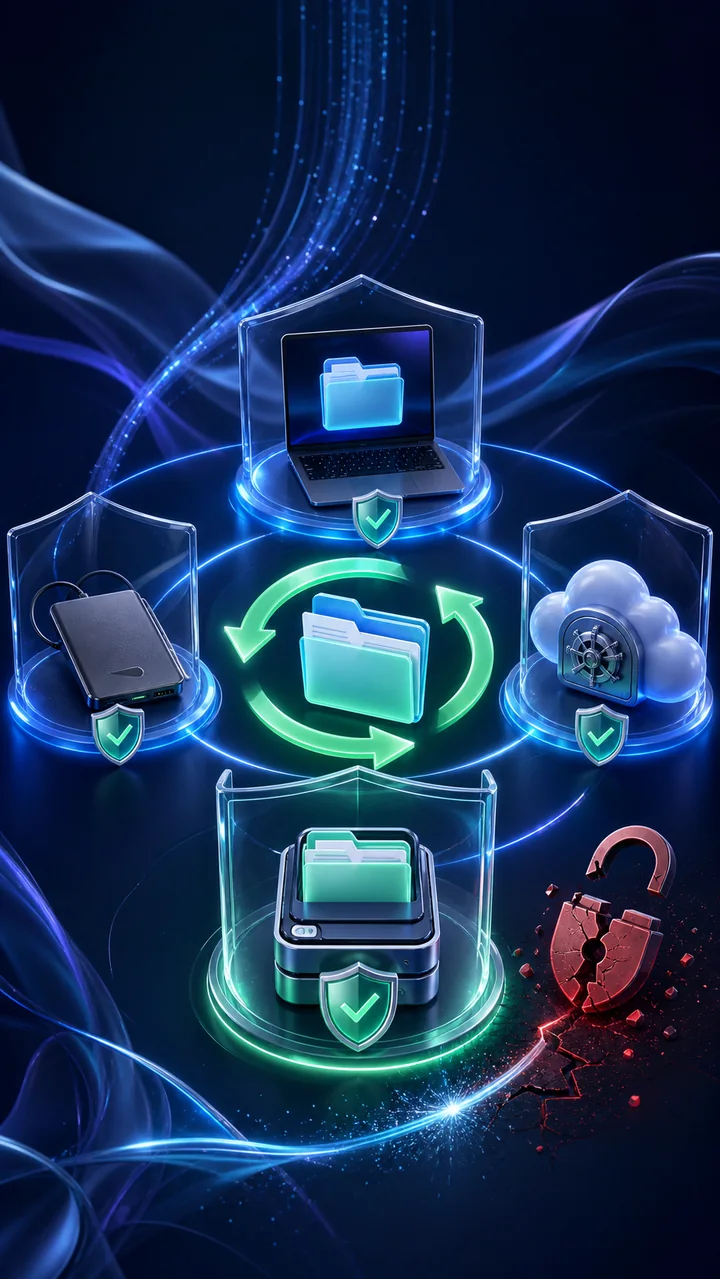
A backup is a separate copy you can restore after accidental deletion, device loss, failure, or ransomware. Sync alone is not always a backup because a deleted or encrypted file may also sync to the cloud.
The 3-2-1 rule means: keep 3 copies of important data, use 2 different storage types, and keep 1 copy offline or separated from your everyday account. Example: the working file on your laptop, an encrypted external drive, and a protected cloud backup with version history.
Make it practical: Turn on automatic backups, unplug the offline drive when it is not being used, protect cloud storage with MFA, and encrypt devices that may be lost.
Test recovery: Every month, restore one harmless file into a new folder and open it. A backup is useful only when you can recover it.
Password managers: one strong password per account
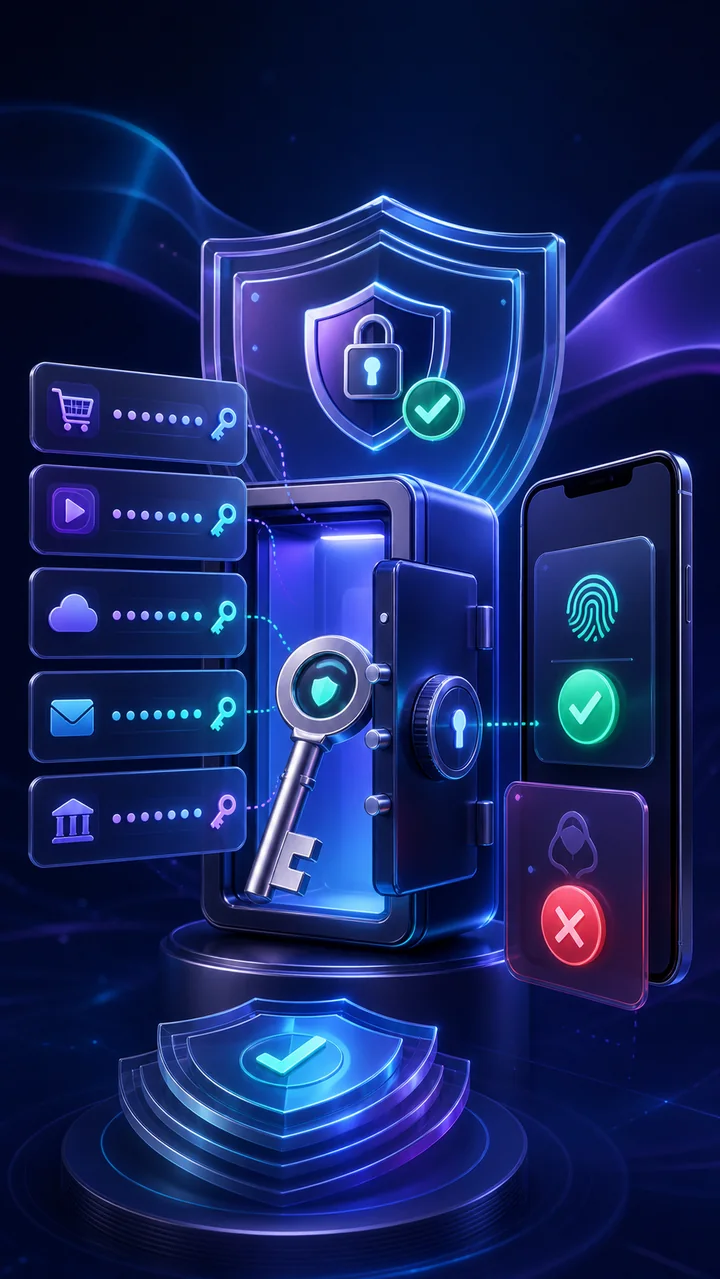
Why this matters: When the same password is reused, one website breach can give criminals access to your email, social accounts, wallet, and other services. A password manager stores a different random password for every account so one leak does not unlock everything.
Beginner setup: Choose a reputable password manager, create one long and memorable master passphrase, turn on MFA for the vault, then let it generate unique passwords. Start with your email, financial accounts, social media, and cloud storage.
Use it safely: Install only the official app or browser extension. Review any alert about a changed website address before filling a password. Never send your vault password or recovery key through chat.
Recovery plan: Store the recovery code in a secure offline place and keep the account email current. Test that you know how recovery works before an emergency.
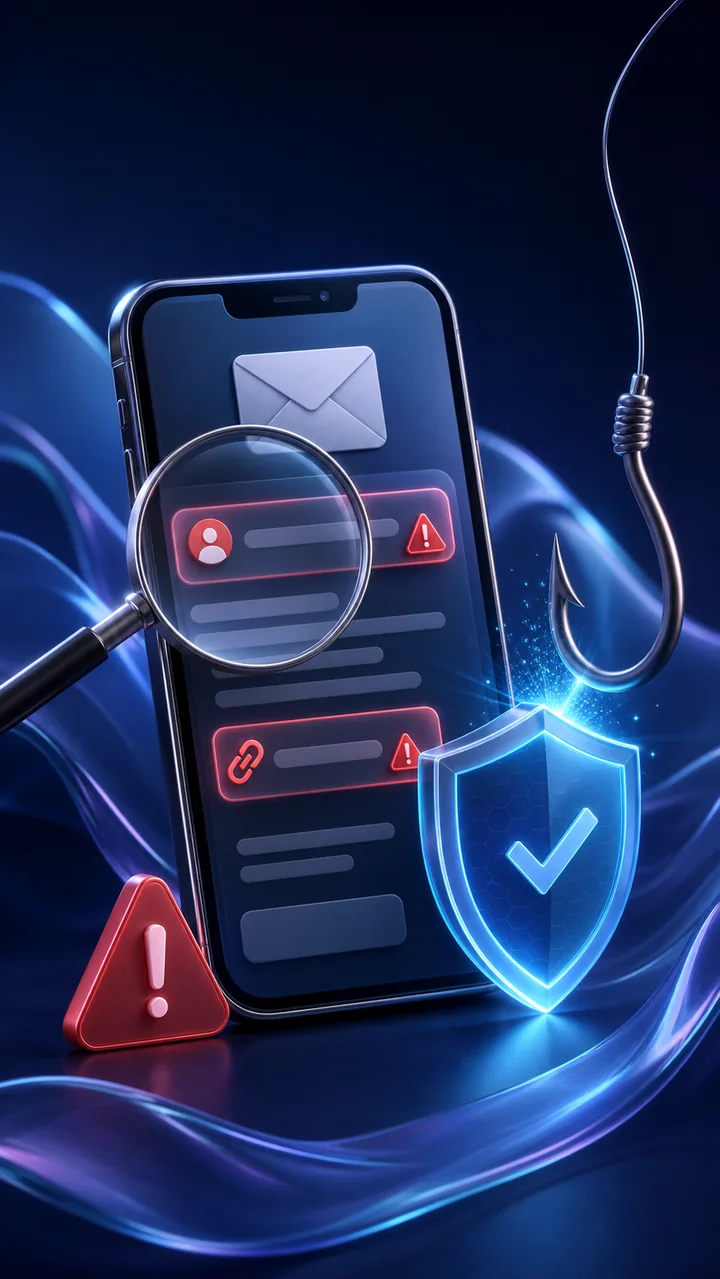
The phishing pause: check before you click
Phishing is a fake message designed to make you reveal a password, send money, download a harmful file, or approve an account action. It often copies a trusted company and creates urgency such as “act now” or “your account will close.”
Use the four-check pause: 1) expand the full sender address, 2) press and hold or hover to inspect the real link, 3) ask whether the request matches the normal process, and 4) verify urgent requests through a different trusted channel.
Safer example: If a bank message says your account is locked, do not use its link. Close the message and open the bank app yourself or type the official address from a saved bookmark.
If you already clicked: Do not enter more information. Close the page, disconnect a suspicious download, change an exposed password from a clean device, enable MFA, and contact the affected service quickly.
MFA fatigue: what to do when prompts keep arriving
What it means: MFA (multi-factor authentication) asks for a second proof after your password. In an MFA fatigue attack, someone who already knows or guessed your password sends repeated approval prompts and hopes you will tap Allow just to stop them.
Do this immediately: Tap Deny, do not share any code, and stop responding to anyone who calls or messages you about the prompt. Open the service from its official app or a saved bookmark—never from a link the caller sends.
Secure the account: From a trusted device, change the password to a new unique one, sign out unknown sessions, check recovery email and phone details, and report the attempt to the service or your support team.
Remember: Approve a sign-in only when you started it yourself and the location, device, and time make sense.
Find videos, posts, and cyber creators
Type a video title, topic, hashtag, or @username. Creator searches show that member's newest videos first with playable previews.
Cyber FYP post
ZaxSecurity member
@member
OfflineVerified profileVIP Cyber CreatorA public overview built from this member’s ZaxSecurity Community activity. Private account and wallet details remain hidden.
Learning and sharing responsible cybersecurity practices.
Public posts available to the ZaxSecurity learning community.
People who chose to follow this member’s public updates.
No approved public seller catalog is connected to this profile.
Automatically belongs to ZaxSecurity General and can join responsible learning conversations.
Account email and private security records are never displayed publicly.
Private messaging unlocks only after the receiver accepts a Cyber Friend request.
Public activity is designed for lawful defense, education, support, and approved commerce.
Products, courses, and training:
Only public Community identity is shown. Emails and private account details stay protected.
Teach the Community with a real cyber post.
Add a clear title, useful paragraphs, images, or one short video. Videos longer than 20 seconds are trimmed on your device before upload. Never expose passwords, private keys, personal records, or harmful instructions.
- 1Choose formatText, images, or approved VIP formats.
- 2Write clearlyAdd a helpful, understandable cyber insight.
- 3Add mediaAttach safe images or permitted links.
- 4Review and publishChoose a topic, check privacy, then post.
Find your cybersecurity circle
Discover learners, professionals, and verified VIP Cyber Creators. Follow their work, build trusted Cyber Friend connections, and open a profile before starting a conversation.
Learn together without giving up control.
ZaxSecurity Community is for responsible education, peer support, lawful defensive practice, and approved VIP commerce. Every member controls private-message access.
Protect sensitive information
Never share passwords, recovery codes, private keys, wallet addresses intended to stay private, receipts, personal documents, or target credentials.
Authorized learning only
Do not request, encourage, or share instructions for unauthorized access, malware deployment, credential theft, evasion, fraud, or harm.
Respect message consent
Private messaging unlocks only after the receiver accepts a Cyber Friend request. Either member may block the relationship and remove messaging access.
Use approved commerce only
Products must be administrator-approved Marketplace listings. Never send money to a member from a group post or external payment link; checkout remains wallet-only.
Report quietly, not publicly
Use Report on a community post or contact support privately. Do not retaliate, expose personal data, or organize harassment.
Purchases
Track completed wallet purchases and wallet-deposit approvals in one accountable order history.
| Order | Item | Payment | Status | Amount |
|---|---|---|---|---|
Your submitted purchases and deposits will appear here. | ||||
Choose a wallet and amount
Sign in to deposit funds and use wallet checkout.
Send funds using only a username
Transfer NGN or USDT instantly between ZaxSecurity wallets. Enter the exact Community username and review it before confirming.
Transaction history
| Transaction | Date | Amount | Balance |
|---|---|---|---|
No wallet activity yet. | |||
USDT ⇄ Naira conversion
Calculate a transparent conversion quote using the rate published by the ZaxSecurity administrator.
Your cybersecurity workspace starts here.
Create one secure account for professional software, practical learning, guided projects, certificates, purchases, and your ZaxSecurity wallet.
 Secure account gateway
Sign in to build your defender identity.
Your profile brings together verified account details, learning performance, achievements, purchases, and wallet activity.
We make cybersecurity capability practical, accessible, and accountable.
ZaxSecurity exists to close the distance between knowing about cyber risk and being ready to respond. We combine trusted tools, structured learning, and professional progress in one focused environment.
Cybersecurity should feel like a discipline—not a collection of disconnected products.
Security professionals and learners often manage their work across scattered course platforms, software portals, payment receipts, bookmarks, and spreadsheets. That fragmentation creates friction where focus matters most.
ZaxSecurity was designed as a single professional home for the cybersecurity journey: discover the right tool, purchase it transparently, learn the skill behind it, practice in a controlled environment, and prove your progress.
A complete path from curiosity to cyber readiness.
The platform connects purchasing, learning, practice, community, and evidence of achievement so every step has a clear purpose.
Discover
Compare clearly described software, courses, and training resources built for legitimate cybersecurity work.
Purchase securely
Fund separate NGN or USDT wallet ledgers through manual verification, then buy only with the matching balance.
Learn and practise
Follow structured lessons, track progress, use defensive tools responsibly, and learn alongside the community.
Prove progress
Build an accountable learning record and become eligible for a professional certificate after meeting the published requirements.
Built for responsible security learners and practitioners.
Professional standards are part of the product.
ZaxSecurity is led by CEO Deji Oyedotun with a commitment to responsible cybersecurity education, transparent wallet operations, careful payment review, and certificates tied to genuine platform achievement.
- Manual wallet deposits remain pending until an administrator verifies them.
- Certificates are eligibility-based and do not replace regulated or vendor certifications.
- Community participation must remain lawful, respectful, and defensive.
- Support will never ask for your password, private key, or recovery phrase.
Principles built into the platform.
Trust before growth
Clear ownership, auditable payments, responsible training, and respectful data practices are foundational—not optional extras.
Practice before theory
Knowledge becomes valuable when it can be applied. Our learning model prioritizes realistic workflows and measurable performance.
Clarity before complexity
Professional tools can be sophisticated without being confusing. We design every surface to make the next responsible action clear.
People before credentials
Certificates matter, but capability matters more. We help people build confidence, judgment, and evidence of practical skill.
ZaxSecurity frequently asked questions
Understand purchases, wallet funding, training, certificates, installation, support, and responsible use before you begin.
01What is ZaxSecurity?
ZaxSecurity is an integrated platform for professional cybersecurity software, practical training, guided projects, wallet-protected purchases, progress tracking, and eligible certificates.
02How do I purchase software or a course?
Create an account, fund the matching NGN or USDT wallet, wait for administrator approval, then purchase directly from that separate balance.
03Can I pay for a product directly by bank or USDT?
No. Bank transfer funds only the NGN wallet and verified USDT transfer funds only the USDT wallet. Product checkout debits the balance matching the displayed price currency.
04How are wallet top-ups approved?
Submit the amount, selected gateway, payment reference, and receipt. An administrator verifies the request and either approves the wallet credit or declines it with an email update.
05Which bank accounts can I use?
Use either the UBA or MoniPoint account shown in the top-up window and add the required remark. Do not send payment from OPay while the service warning is active.
06Where do my purchased products appear?
Approved software and training access appears in My Library. Delivery links, course progress, purchase records, and wallet activity remain connected to your member account.
07When can I receive a ZaxSecurity certificate?
Certificate eligibility requires a purchased software product, a purchased course or training, and completion of the required training progress. Preview certificates are not valid awards.
08Can I install ZaxSecurity on my phone?
Yes. On supported Android browsers use the install prompt. On iPhone or iPad, open the Share menu in Safari and choose Add to Home Screen for an app-like experience.
09How can I contact support or join a live session?
Email support@zaxsecurity.cloud, send a private Telegram message to @zaxcommercegroupupdates, or open ZaxSecurity Live from the platform to join the TikTok community Q&A.
10Is ZaxSecurity training for authorized use only?
Yes. Products, projects, tutorials, and techniques are intended only for lawful, ethical, defensive, and explicitly authorized security work. Review the platform policies before use.
Build defenders the digital world can depend on.
Every ZaxSecurity product and learning experience is intended for lawful, ethical, and defensive use. We support curiosity with accountability and ambition with professional standards.
Let’s solve the right security problem together.
Whether you need product guidance, payment support, learning advice, a partnership conversation, or help with your account, our team is ready to listen.
Best for account, payment, and product questions.
Reach our support community or start a private conversation.
Send a private messageUrgent payment reviews are prioritized.
Supporting cybersecurity learners and professionals worldwide.
Quick answers to common questions.
Where is my wallet purchase?
Completed wallet purchases appear automatically in My Library. Pending wallet deposits remain visible under Purchases.
How are wallet deposits approved?
An administrator verifies your reference or proof, then credits the exact approved amount to your wallet ledger.
Can I request a refund?
Eligible requests are reviewed under our Refund Policy. Include your ZS order number when contacting us.
Clear rules for secure, lawful, and professional use.
These Terms govern your ZaxSecurity account, wallet, purchases, infrastructure services, learning access, marketplace activity, and Community participation.
Agreement and eligibility
By creating an account, selecting the acceptance box, funding a wallet, buying a service, or using ZaxSecurity, you agree to these Terms, the Privacy Policy, Refund Policy, Community rules, and any service-specific conditions shown before checkout. If you do not agree, do not use the service.
You must be legally able to enter a binding agreement in your jurisdiction. If you use ZaxSecurity for a business or organisation, you confirm that you have authority to bind that organisation and that its authorised users will follow these Terms.
Accounts, identity, and security
Provide accurate account information, keep your recovery email current, protect your password and devices, and notify support promptly if you suspect unauthorised access. You are responsible for activity performed through your account unless applicable law requires otherwise.
- One person may not impersonate another member, administrator, business, or public authority.
- Account access, software keys, credentials, wallet balances, and purchased services may not be sold, leased, or shared unless a listing expressly allows it.
- ZaxSecurity may require reasonable identity, payment, ownership, or security verification before a protected action is completed.
Wallets, manual payments, and pricing
NGN and USDT are separate internal purchase ledgers. Wallet credits are not bank accounts, savings products, or investment products. A manual deposit is credited only after ZaxSecurity verifies the transfer and the amount received. Never send a password, one-time code, private key, or recovery phrase as payment evidence.
Prices, exchange rates, provider costs, taxes, network fees, and availability may change before confirmation. The final review screen controls the amount charged. Completed conversions use the rate displayed and accepted at confirmation. Transfers, withdrawals, and refunds may be subject to the published fee or review rule shown before submission.
Digital products and infrastructure services
Software, courses, training, proxies, RDP, VPS, domains, hosting, and business email may depend on third-party infrastructure. ZaxSecurity provides the branded ordering, wallet, account, support, and service-management experience but cannot guarantee that every location, operating system, carrier, domain, plan, or upstream capacity will remain available.
- Digital licences and course access are personal, limited, revocable, and non-transferable unless the product page states otherwise.
- Provisioning times are estimates. A failed supported order may be retried, replaced, or returned to the matching ZaxSecurity wallet according to the Refund Policy.
- Turning off a cloud server may not stop infrastructure billing. Permanent deletion is required where the service screen says billing ends only on deletion.
- You are responsible for backups, configuration, licences, content, and security controls not expressly managed by ZaxSecurity.
Lawful and acceptable use
ZaxSecurity is for authorised learning, defensive security, legitimate administration, research, and lawful commerce. You must have permission for every system, account, network, dataset, target, and identity you access or test.
- Do not conduct unauthorised access, credential theft, phishing, malware delivery, denial-of-service activity, surveillance, spam, fraud, evasion, or harmful exploitation.
- Do not use proxies, servers, hosting, domains, email, software, or Community features to violate law, rights, sanctions, provider rules, or another person’s privacy.
- Do not probe, bypass, overload, scrape, reverse engineer, or interfere with ZaxSecurity security, billing, access controls, APIs, or other members.
Community, messages, and seller content
You retain ownership of eligible content you post. You grant ZaxSecurity a worldwide, non-exclusive licence to host, reproduce, adapt for display, moderate, and distribute that content only as needed to operate, protect, and promote the ZaxSecurity service. Do not upload content you do not have the right to use.
All members may publish responsible cybersecurity text and permitted media. Selling, product links, vendor tools, and enhanced formats require an active approved VIP vendor status where indicated. Products and edits may require administrator approval before publication. ZaxSecurity may remove, limit, preserve, or review content and messages to enforce rules, respond to reports, protect users, or comply with law.
ZaxSecurity ownership and permitted access
The ZaxSecurity name, logo, interface, original learning material, graphics, workflows, software code, and service design are protected by applicable intellectual-property laws. These Terms give you permission to use the service for its intended purpose; they do not transfer ownership or permit copying, reselling, framing, or creating a confusingly similar service.
Reviews, suspension, and termination
ZaxSecurity may limit an action, hold a transaction for review, remove content, suspend a service, or restrict an account where reasonably necessary to address security, fraud, payment disputes, legal requirements, harmful conduct, provider restrictions, or a material breach. Where appropriate, we will explain the action and provide a route to contact support.
You may stop using ZaxSecurity at any time. Ending an account does not cancel amounts already due, reverse completed services, erase records that must be retained, or end infrastructure billing unless the relevant service is also cancelled or permanently deleted.
Service responsibility and limits
ZaxSecurity is provided with reasonable care, but online and third-party services can experience maintenance, latency, compatibility limits, interruption, data loss, or security events. To the fullest extent permitted by law, ZaxSecurity does not promise uninterrupted availability, guaranteed learning or business results, or fitness for an undisclosed purpose.
Nothing in these Terms excludes liability or consumer rights that cannot lawfully be excluded. Subject to those mandatory rights, each party remains responsible for its own unlawful conduct, misuse, credentials, systems, content, and decisions. You should maintain independent backups and professional advice where the risk requires it.
Policy changes, governing rules, and disputes
We may update these Terms to reflect service, security, legal, or operational changes. A material update will be published with a new effective date and, where appropriate, an in-app notice. Continued use after the effective date means you accept the updated Terms.
These Terms are governed by applicable laws of the Federal Republic of Nigeria, without removing any mandatory protection available to you under another applicable law. Contact support first so a concern can be reviewed and resolved in good faith.
Questions and notices
Send account, legal, safety, or service questions from the email connected to your account. Include the relevant ZS reference number but never include a password, one-time code, private key, recovery phrase, or complete payment credential.
Your data deserves the same discipline as your security.
This policy explains what ZaxSecurity collects, why we use it, how long it is kept, and the choices available to you.
Information we collect
We collect account information you provide, including your name, email address, profile details, support messages, course progress, certificates, owned products, wallet transactions, and order history.
The platform may also process standard technical information such as login events, a browser-scoped ZaxSecurity Browser ID, device and browser details, IP addresses, security logs, and local interface preferences needed to operate and protect the service. Web browsers do not expose your hardware MAC address, and ZaxSecurity does not attempt to collect it.
Purposes and lawful bases
We process information only for defined purposes and under a recognised lawful basis. Contract supports account access, purchased services, wallet ledgers, learning delivery, and support. Consent supports optional GPS access, notification permission, and other optional device features. Legitimate interests support security, fraud prevention, service improvement, moderation, and reliable operations where those interests do not override your rights. Legal obligation supports accounting, tax, lawful requests, and required records.
- Operate and personalise your ZaxSecurity workspace.
- Verify manual transactions and preserve an accountable payment ledger.
- Communicate service, security, support, and purchase updates.
- Protect members, infrastructure, and legitimate cybersecurity activity.
Manual wallet deposits and proof uploads
When you submit a wallet deposit by bank or crypto transfer, ZaxSecurity stores the requested amount, deposit method, reference, status, reviewer information, and any proof file you choose to provide. Do not upload bank passwords, private keys, recovery phrases, or complete payment credentials.
Sharing, processors, and international transfers
We do not sell personal information. Authorised infrastructure, hosting, domain, email, notification, security, analytics, payment-review, mapping, or professional service providers may process limited information only where needed to operate ZaxSecurity. We require appropriate confidentiality, security, and data-protection safeguards according to the service and applicable law.
A provider may process information outside your country. Where personal data is transferred internationally, ZaxSecurity uses an applicable legal transfer basis and proportionate safeguards. Information may also be disclosed when required by law or reasonably necessary to protect members, rights, systems, and safety.
Community and private messages
Your public Community posts, Community username, reactions, and profile information may be visible to other signed-in members. Account email addresses remain private. Cyber Friend requests and accepted private conversations are visible to their participants. Private messages are not advertised as end-to-end encrypted and may be accessed where reasonably necessary to investigate abuse, enforce Community rules, maintain the service, or comply with law.
You can accept or decline a Cyber Friend request, block another member, report content, and control whether a conversation continues. Avoid sharing financial credentials, sensitive identity records, private keys, or confidential client information in Community areas.
Login records, device data, and location
For account protection, ZaxSecurity may record the date and time of a successful login, IP address, browser family, platform, user agent, and a random browser-scoped Browser ID stored in local storage. The dashboard may use the public network address to display an approximate IP country and state or region without requesting GPS permission. It first uses a browser-side provider and, if that is unavailable, an authenticated same-site request resolves the server-observed public IP through a cached backup provider. The result may reflect an ISP, VPN, or proxy location. Location access remains optional. If you select Detect my location, the browser requests GPS coordinates and sends them securely to a third-party reverse-geocoding provider to resolve an approximate locality, country, and state or region for the current session. ZaxSecurity does not save those GPS coordinates in your account.
The Browser ID is not a MAC address, advertising identifier, or guaranteed identity signal. It may change when browser storage is cleared and should be treated as one security clue among several.
Cookies, local storage, and installed app mode
Secure ZaxSecurity authentication cookies keep you signed in. Local storage may remember your theme, Browser ID, interface state, and selected preferences. If you install ZaxSecurity as a web app, a service worker may cache essential interface files so the application opens reliably. Removing site data or uninstalling the web app clears locally stored data on that device but does not automatically delete server-side account records.
Retention and deletion
We keep personal information only for as long as reasonably needed for the purpose collected. Account, entitlement, order, wallet, domain, hosting, server, and tax-related records may be retained while your account is active and afterwards where required for contract, accounting, fraud prevention, security, disputes, or law. Login audit lists are bounded by record count, with newer entries replacing older entries. Support, message, and moderation records follow the applicable service, self-destruct, safety, and recovery settings, subject to backups and records that must be preserved.
When deletion is approved, eligible information is erased, anonymised, or isolated from ordinary use. Some records cannot be removed immediately where retention is necessary to establish transactions, protect users, comply with law, resolve disputes, or prevent repeated abuse.
Security and incident response
We use role-based access, capability checks, request verification, input validation, protected account sessions, and administrative review to reduce risk. No online service can guarantee absolute security. If we identify an incident affecting personal information, we will investigate, contain the issue, preserve appropriate records, and provide notices where required.
Your choices and data-protection rights
Subject to applicable law, including the Nigeria Data Protection Act 2023, you may have rights to be informed, access personal data, correct inaccurate data, request deletion, restrict or object to processing, receive eligible data in a portable form, withdraw consent without affecting earlier lawful processing, and request human review of a solely automated decision with significant effect.
Send a request from the email connected to your account and state the right you want to exercise. We may verify your identity before disclosing or changing protected information. We will respond without unreasonable delay, explain any lawful limitation, and provide an internal review route. You may also lodge a complaint with the Nigeria Data Protection Commission or another competent supervisory authority.
Children and policy updates
ZaxSecurity is not directed to children who cannot lawfully consent to these services. If you believe a child supplied personal information without valid authority, contact us so the account and information can be reviewed.
We may update this Privacy Policy when services, providers, security practices, or legal duties change. A material update will be published with a revised effective date and, where appropriate, an in-app notice.
Fair review, clear eligibility, accountable outcomes.
We review refund requests carefully because digital software and educational access can be delivered immediately after payment approval.
When a purchase may be eligible
A request submitted within seven calendar days may be considered when the item was purchased accidentally, materially differs from its published description, cannot be delivered because of a verified platform fault, or remains unused and unaccessed.
- The request includes the ZS order number and account email.
- Software has not been downloaded, activated, licensed, or used.
- Course content has not been substantially viewed or completed.
- No certificate, assessment result, or material account benefit has been issued.
Purchases normally not eligible
Refunds are normally unavailable after a software key, download, protected resource, substantial course content, completed lab, training session, or certificate has been accessed. Requests based only on change of mind after use, account sharing, policy violations, price changes, or failure to review published requirements may also be declined.
- A device or operating system does not meet requirements clearly shown before purchase.
- The user has downloaded, copied, activated, consumed, or transferred the digital benefit.
- Access was limited because of misuse, prohibited activity, account sharing, or a security investigation.
- A wallet conversion was completed at the displayed administrator-set rate.
Wallet deposits, balances, and conversions
Unused wallet deposits may be considered for return to the original verified funding source where operationally possible. Promotional credits, administrator goodwill credits, partially spent deposits, and funds connected to abuse or disputed activity are not cash-redeemable.
NGN and USDT are separate wallet ledgers. A completed balance conversion is normally final because the displayed administrator-set rate is accepted before confirmation. External USDT returns may require destination ownership checks and may be reduced by an applicable blockchain network fee disclosed during review.
How to request a review
- 1Open Contact usChoose “Refund request” as the topic.
- 2Provide the order detailsInclude your ZS order number, account email, item, date, and reason.
- 3Allow us to verify usageWe review payment, entitlement, download, lesson, lab, and certificate records.
- 4Receive a written outcomeApproved, declined, or alternative-resolution decisions are sent by email.
Review evidence, timing, and outcomes
Complete requests are normally acknowledged within two business days. The review may consider the product description at purchase, order and wallet records, access and activation history, downloads, course progress, assessments, certificates, support correspondence, and relevant platform faults.
A decision may approve a full refund, approve a partial or wallet-only adjustment where fair and permitted, replace or restore access, offer technical remediation, request more information, or decline the request with a reason. Approved returns to an external bank or crypto source require manual identity, ownership, destination, and transaction checks, so processing time depends on the selected method.
Duplicate charges, an incorrect wallet credit, or access not delivered because of a verified ZaxSecurity fault should be reported promptly and will be investigated independently of ordinary change-of-mind requests.
Escalation, safety, and legal rights
If you believe relevant information was missed, reply to the written decision with new evidence and request a second review. Do not submit passwords, one-time codes, private keys, recovery phrases, or full payment credentials. ZaxSecurity support will use the account email and reasonable verification steps before discussing protected order information.
Nothing in this policy excludes or limits mandatory consumer rights that apply in your jurisdiction. Where those rights provide a different remedy or deadline, the mandatory rule takes priority.
Account settings
Manage your identity, account safety, application experience, wallet preferences, alerts, and support access.
Professional profile
Your verified identity is used on purchases, training records, and eligible certificates.
Security and access
Keep your sign-in details private and recover access through your registered email.
Install ZaxSecurity
Install the branded ZaxSecurity workspace for an edge-to-edge app experience on supported Android and iOS devices.
The app uses the permanent ZaxSecurity silk theme. Installed mode provides a focused edge-to-edge workspace where supported.
Notifications
Stay informed about payment reviews, wallet activity, purchases, and training progress.
Balances and purchases
NGN and USDT balances are stored separately. Each purchase uses only the ledger matching its displayed price.
Support center
Get private help with account access, payment verification, software, or training.